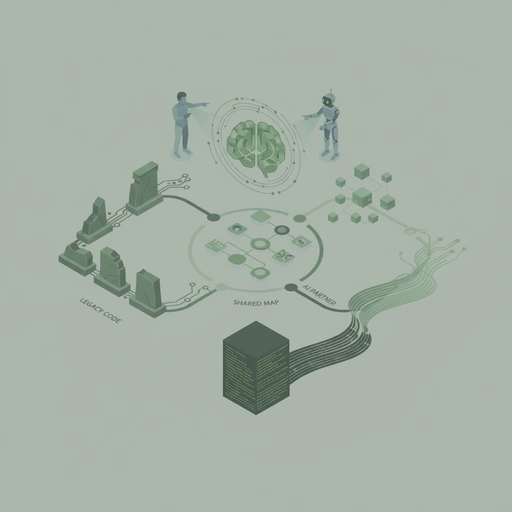
Building a Shared Map: What I Learned While Revitalizing a Legacy Project with AI
I’ve been spending some time lately trying to bring a legacy stock-checking app back to life. It’s been an interesting challenge, with a mix of old PHP, Python, and Svelte code. But what’s been even more interesting is how I’ve been working with my AI partner.
I have had several sessions lately where building a shared map before coding turned a messy legacy project into a smooth AI-human partnership. But what I've also learned is that the map itself needs to be anchored.
Moving Beyond "Just Prompting"
Instead of just asking the AI to "rewrite this in Elixir," we’ve been experimenting with a different style. It feels less like a vending machine and more like working with a colleague. We’re still in the middle of it, but I’ve stumbled upon something that really helps.
The "Practical Intermediary Step"
I’ve noticed that jumping straight into the code is often where things get messy. So, we’ve started using what I call a "practical intermediary step." This is where we stop and build a "shared map" together before we start the implementation.
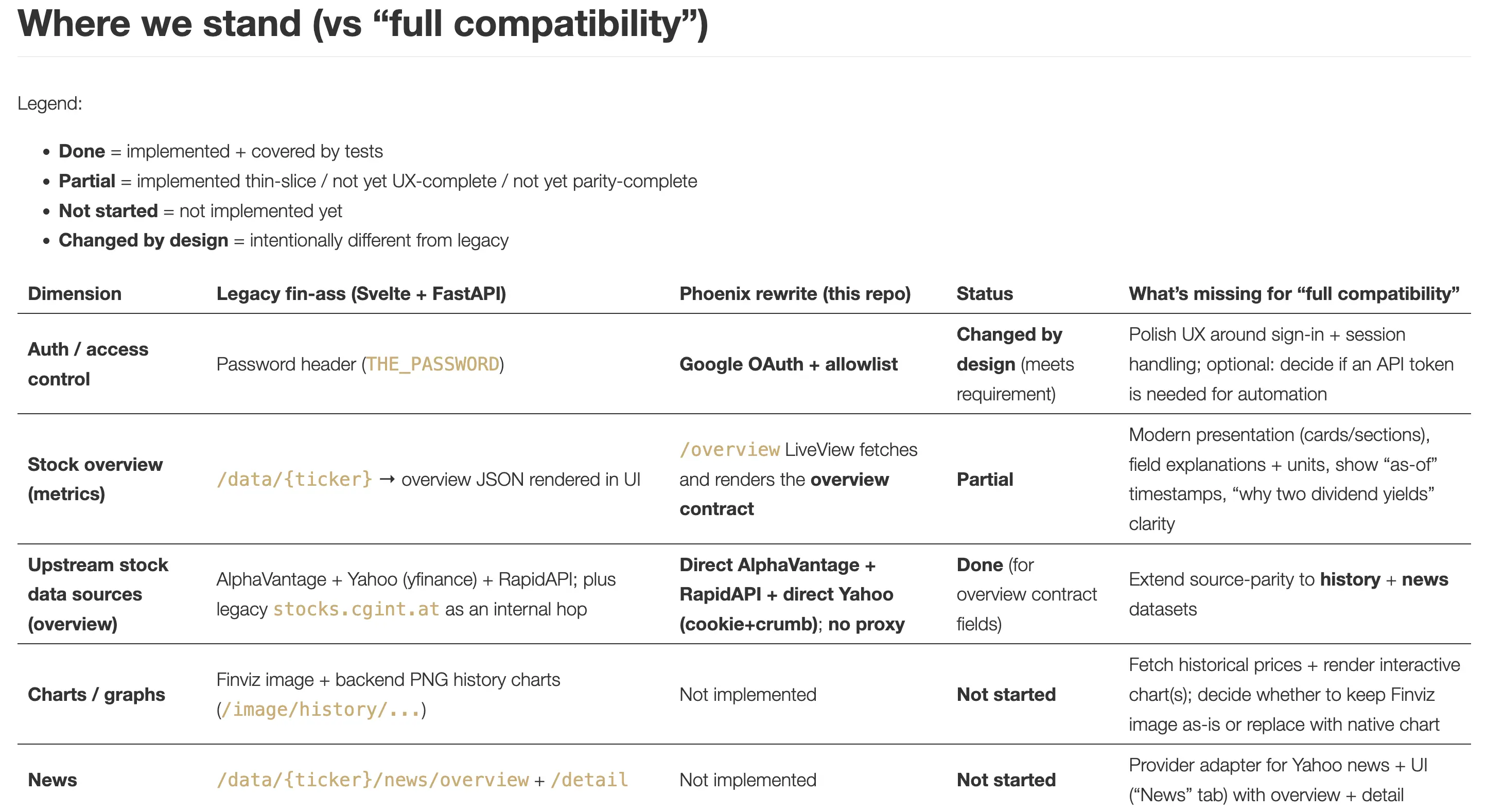
We’ve been creating a few key things:
- Shared Artifacts: Using
IDEA.mdfor the vision andAGENTS.mdfor the working rules. - Visual Alignment: Using diagrams in our
docs/folder to make sure my "head" and the AI’s "head" are seeing the same data stream. - Decision Logs: Capturing why we chose certain tools, like using SQLite instead of Postgres.
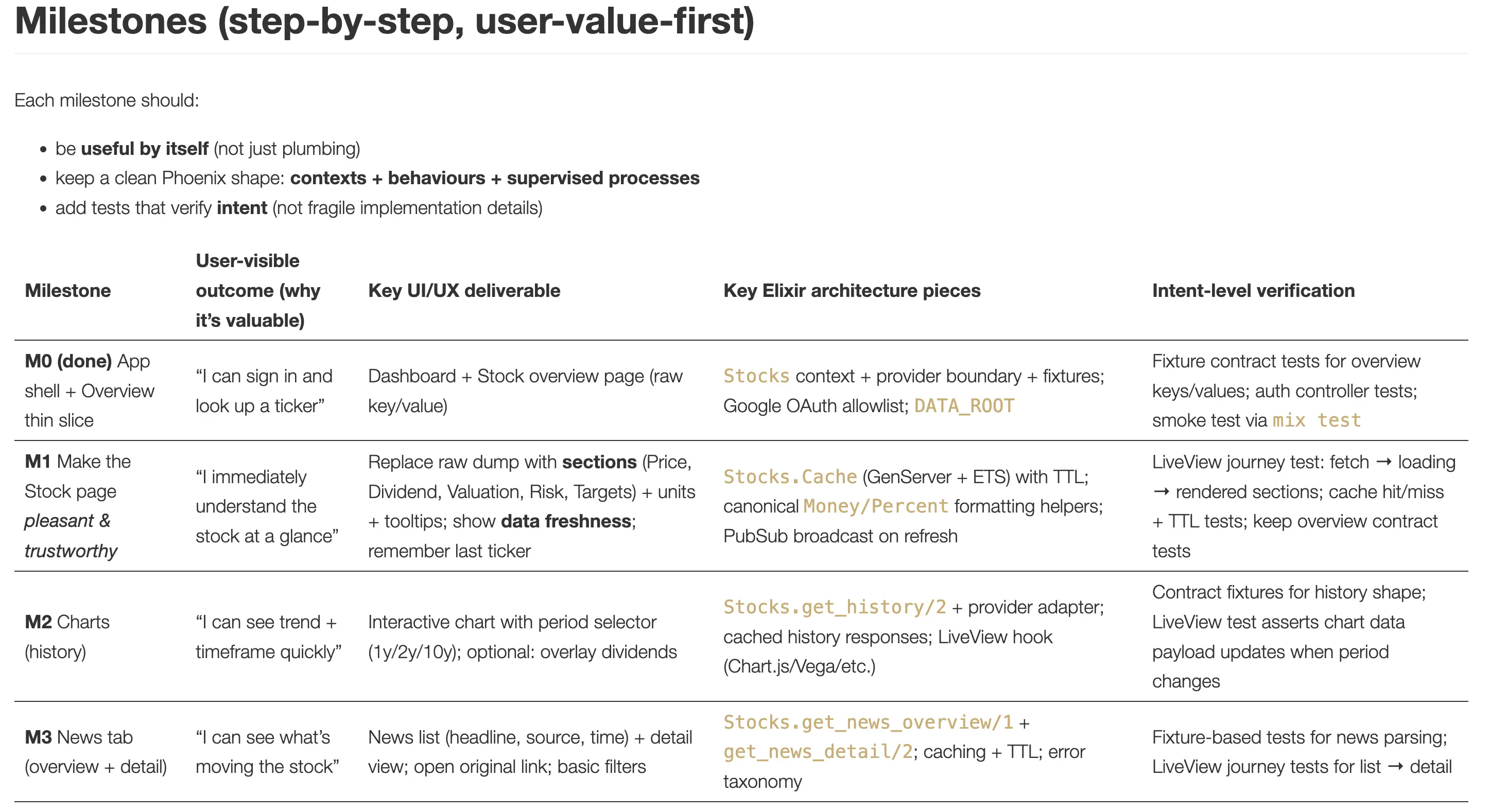
How Diagrams Support our Communication
One of the most helpful parts of this "Shared Map" was the Data Stream diagram. It’s a simple one, not overloaded with technical jargon, but it shows exactly where the data comes from and where it goes.
This diagram helped us decide to skip the "proxy" phase entirely and go straight to native Elixir fetching. Without this visual alignment, we might have spent hours arguing about which service should call which. Instead, we just looked at the picture and both said, "Aha! That's the way."
It’s Not Always a Straight Line
What’s also been a great learning is that it’s not always a straight line. Just a moment ago, my AI partner got a bit "lost" in the details of this specific directory, thinking that’s all we were talking about. I had to pull it back and point it to the actual session logs and the real project work.
This "misinterpretation loop" is actually a key part of the style. Instead of getting frustrated that the AI "didn't get it," I treated it as an alignment check. We looked back at our "Source of Truth" together, and within one turn, we were back on track.
Why it Feels More Natural
By building this map, the whole process feels a lot smoother and more natural. It’s not just about getting the AI to do what I want. It’s about creating a common picture so we can talk about the same things as we go forward.
It takes a bit of self-reflection to get this right, and I'm definitely still learning. But having this "Source of Truth" in the repo makes it much easier for me to update the plan. It’s been a great reminder that even with AI, the real work is often in the communication and the shared understanding.
I hope these findings help you in your own AI-human collaborations! If you want to see how to maintain that alignment over longer sessions and avoid "Organizational Amnesia," check out my follow-up on Document-Driven AI and Context Anchoring.
If you have any questions or want to share your own experiences, I’d love to hear them.